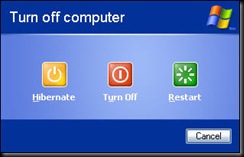
We all know the trend now is to be green. More and more computer products are being released to be more power friendly. Power management has been around for a long time for computers. I can remember the first time I started using a laptop and found the standby feature. I was so glad not to have to shutdown and startup every time I used my computer. Then I found hibernate which made me even more happen. Now with Windows Vista we have the hybrid which they have dubbed Sleep.
Standby – everything is shutdown except power to the RAM, almost instant resume. (Sleep on Mac OS, Suspend on Linux)
Hibernate – everything in RAM is written to a hibernation file and the system is completely powered off, near instant resume. (Safe Sleep on Mac OS)
Sleep – everything in RAM is written to a hibernation file and the system goes to standby. In the case of a loss of power from A/C or battery, computer can resume from hibernation.
I don’t know about the rest of you, but my experience with Sleep hasn’t worked as well as I’d like it to on my Lenovo T61. The resume times from Standby work fine, but the hibernation takes forever. Often times resuming from hibernation doesn’t work, which I admit may result from my obesessive excessive tweaking.
I’ve been pondering the future of power management for computers as we see the move to 64-bit Windows (and other OS’es) and increased RAM. Wouldn’t more RAM require more power to maintain the standby state? And if I have six gigabytes of RAM, how long does it take to write six gigabytes of RAM to the hard disk? And now I have this six gigabyte file taking up space on my hard drive. Resuming from hibernation will take much longer, especially if we’re talking about 5400 RPM laptop/notebook hard drives. What are we going to do to be able maintain low power states with the imminent changes of hardware? I wonder if the hibernation file could be stored on a flash chip built into the hard drive or computer. I wonder if that hibernation file could be regularly updated using something like rsync so that writing/reading the hibernation file could be expedited. What are your thoughts?


 Posts
Posts

