Wednesday, December 17, 2008

Microsoft Releasing an Out-of-Band Security Update for Internet Explorer

 InternetExplorer_1

Update Tuesday came and went this week with a few updates, but a vulnerability has been exposed for Internet Explorer versions 6-8 on Windows XP, 2003, Vista, and even 2008.  Microsoft has decided to release and out-of-band security update for this vulnerability due to its critical nature.  Unfortunately this zero-day exploit has not fix yet from Microsoft.  The update is expected to be released sometime today.  Be sure to sync up your WSUS servers after the exploit has been released. 

Remember my tips to subscribe to important security lists to stay on top of your networks.

Read Microsoft's Security Advisory

Tuesday, December 9, 2008

Server Updates


Every sysadmin knows that software of all kinds needs to be updated.  Sometimes the updates provide new features and enhancements, but many times the updates are bug fixes and security patches.  Keeping your servers, desktops, and software up to date can help prevent your networks from being comprimised.  

I've compiled a short list of best practices I use for patch management:
  1. Schedule your patch management on a regular basis.  It is easy for the busy sysadmin to be distracted by all the end-users' needs which to them are always critical.  Prioritize a time for updates where you will not be distractec.  This may need to be after hours if necessary.  Many Windows updates require system restarts so be sure to schedule the restarts to minimize downtime, and be sure to check that the servers and services come back up afterwards.
  2. Subscribe to mailing lists and/or rss feeds that provide you with information on exploits, patches, and security notices for the specific software you run.  Visit your vendor's website to see if they have these options available.
  3. Keep a log of your patch installations.  I've created an Excel template that I print each week to record the packages and updates that I install on my Linux and Windows servers. Should something break due to the updates I will know exactly what has changed.  

Nagios Update


Nagios released another point update this past week bringing it to 3.0.6. The changelog reports only a few minor fixes and additions.  I noticed the available update during my weekly server updates time.  Remember that on Linux systems you must restart the service (daemon) to run the new version (command: service nagios restart).  

Nagios is an opensource service/host monitor that allows the everyday sysadmin to keep tabs on all of the crucial network services and hosts.  You can setup all kinds of checks and then be notified should any crucial hosts or services are down. 

Setting up your own Nagios installation can be difficult, but many tutorials exist online.  If you would like assistance designing and deploying your own Nagios installation please contact me.

Monday, December 1, 2008

Quick Tip for Windows Mobile


Press the Start key twice on your Windows Mobile device to jump back to the Today screen.

This can be useful to snooze or dismiss those reminders.

Wednesday, November 26, 2008

What I Use

Applications I use everyday:

  • Microsoft Windows Vista Ultimate (32-bit) – If you pump enough RAM into Windows Vista it can be very usable. 
  • Microsoft Outlook 2007 – I started using Outlook Express because it came with Windows, but when I saw the power and integration of Outook 97 I was sold.  Since then I’ve used every version.  I was even more hooked when I began using Outlook with an Exchange server.  Although I have tried many other PIM’s, still nothing compares to the productivity and utility of Outlook.
  • Mozilla Firefox – Hands down FireFox is the best cross-platform browser. 
  • Digsby – multi-protocol instant messenger app with social networking
  • Winamp – tried and true media player with great keyboard shortcuts
  • Google Chrome – the fastest browser for start times and load times, lacks extensibility of FireFox, but the features redefine browsing like Gmail redefined email
  • Microsoft Virtual PC running Windows XP Professional – If you run Windows Vista and your a sysadmin, you have to run Windows XP too.  Just keep it clean and give it about 512 MB of RAM and it’s just like having a second computer around.
  • andLinux – unique hybrid-virtualization of Ubuntu linux that allows me to run KDE apps natively in Windows (like Konsole for Linux server management)


Utilities/Tools

  • Putty – for ssh/telnet management of servers, routers, and switches
  • Launchy – application launcher to free you from the Start menu
  • Switcher – Expose-like application for Vista, requires AERO
  • reSizer – window placement and sizing with a mouse can be tedious, using reSizer I can move windows between monitors and resize to fit the screen without leaving the keyboard
  • Remote Desktop Connection – remote management of all of those Windows servers out there


Server Applications I use regularly:

FireFox Extensions

  • GrandCentral Click to Call
  • PDF Download
  • Adblock Plus
  • CyberSearch
  • Delicious Bookmarks – delicious.com/wasserja
  • Google Gears
  • Tiny Menu

Tuesday, November 25, 2008

Why Does Windows Azure Matter?


Microsoft hosted their irregularly scheduled Professional Developers Conference (PDC) recently. (PDC events only occur when Microsoft are releasing new platform.) As the event grew closer we knew that Windows 7 would be a topic as well as their Live Services, but the “Cloud” OS was probably causing the most buzz around the tech industry. Thankfully we live in an era where we don’t have to sit through the long, dry Microsoft keynotes to get the lowdown on what Microsoft is up to. Microsoft announced their cloud platform called Windows Azure. Enterprise IT has been administering servers for years attempting to not only keep those end users happy, but also keep their servers in working order. Maintaining software and hardware on servers that are mission critical can be very costly and difficult. The arrival of virtualization for the Enterprise has dramatically increased the ability for IT staff to manage and maintain the server farms while decreasing costs including energy costs. The next step in the evolution of IT is hosted services. Microsoft and third parties have already been offering various hosted services for some time at varying levels of success. With Windows Azure Microsoft hopes to combine virtualization with hosted services by providing a cloud-based platform for developers, businesses, and the enterprise. In the future the everyday sysadmin will no longer responsible for server hardware and OS patches because Microsoft Exchange, SQL, Dynamics, Sharepoint, et. al. will be hosted by Microsoft on their Azure platform which is globally distributed. Of course not all current IT or business decision makers are going to want to start paying monthly fees for software they paid good money for. As the services Microsoft provides through Azure makes business sense they can migrate in a hybrid fashion to say hosting their Exchange "server" to the cloud while keeping their Sharepoint in house. The advantage comes to the small to medium sized businesses who may be thinking about upgrading their own servers and find that it would be more advantageous to pay for the software as a service instead of maintaining their own server(s) in house or paying a consultant.


So how does this affect the everyday sysadmin? How will the role and responsibilities of the IT staff change if we no longer have to maintain server software and hardware? Will we all become Helpdesk staff or will Microsoft take on that as well? I am assuming someone will still need to maintain accounts or maybe there will be a fancy web portal for the designated "technical" employee to add accounts and reset passwords. Downsizing may be in our future, or we will need to change along with everyone else in this fast-paced industry.


Useful Links:

Tuesday, November 18, 2008

Internet Explorer 6 Comes to Windows Mobile

That headline has to be the most misleading one I’ve ever wrote.  Yes Internet Explorer 6 is coming to Windows Mobile.  It is not the version 6 that we have grown to loathe as system administrators, but it is based on current desktop IE 7 and maybe even 8.  The browser will support rich media such as Silverlight and Flash as well as AJAX.  Page rendering will be more close to the desktop alternative which of course has been around for years with Opera Mini (available for WinMo via Java) and recently with Safari for the iPhone.

And the bit about it coming to Windows Mobile is misleading because they just announced the availability of the updated mobile browser, but it will not be available on current handsets only future handsets.  Future here meaning many months until you see them overseas since carriers are not as strict and controlling about the devices.  Then maybe sometime in 2009 we may see WinMo handsets using the browser.  Alternatively the hardworking folks at ppcgeeks.com have been providing kitchens and ROMs for WinMo phones to help you keep your WinMo device running the latest software.  Flashing your phone with unsanctioned ROMs is not an easy process, but you may find yourself taking the plunge if your mobile drives you crazy like many other users.

The upside is that Windows Mobile is finally going to have a decent browser which may mean more developers coding websites to be friendly to Windows Mobile based devices. 

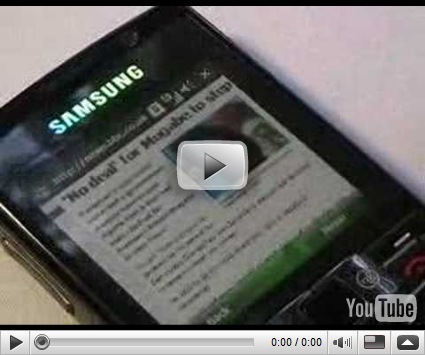
Here is a video of the browser in action. 


Keep in mind that Opera Mini, Opera Mobile, Safari, and Skyfire have already beat Microsoft to the punch so they will not get a lot of positive reviews for their efforts.